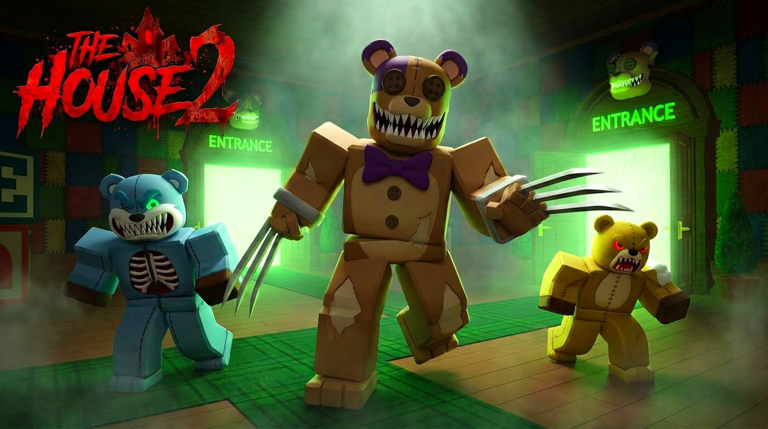
The House TD 2 Launch The House TD 2 Codes Not Working
Troubleshoot failed redeems without confusing DeadB Studios' beta with the original House TD.
When a code “does nothing” in The House TD 2, the cause is usually identity, timing, or UI — not a secret second redeem menu. This troubleshooting page assumes Place 131367064230486 by DeadB Studios and deliberately filters out advice that only applies to Spectral Roblox’s original The House TD.
Fast triage (two minutes)
Answer these before you rage-rejoin:
- Are you actually in The House TD 2, not the older House TD?
- Is the string from a TD2-named source, or is it a viral original-game code like
BigFixorWow100k? - Are you trying a typed code, or the Kitty group claim?
- Did you already receive the reward on this account?
- Have you waited long enough for inventory sync after a successful toast?
If you fail question 1 or 2, stop following generic “House TD codes” videos and return to the Codes Hub warning section.
Problem: original House TD codes
Symptom: Every popular code from last year’s lists fails instantly.
Cause: Those promotions belong to a different experience.
Fix: Discard the list. Only track DeadB Studios TD2 announcements. Do not file bug reports claiming TD2 “removed all codes” when you never redeemed a TD2 code to begin with. Read How to Redeem for the correct sources.
Problem: Kitty group reward will not claim
Symptom: Group joined, but Kitty never appears.
Fixes to try in order:
- Confirm group membership shows as Joined on Roblox web or app.
- Fully leave the experience, not just the lobby.
- Leave the DeadB Studios group, wait a minute, rejoin the group.
- Relaunch The House TD 2 and reopen the claim UI.
- Check whether Kitty already sits unused in your collection.
- Try a different server after a soft update.
Once Kitty lands, continue onboarding with Getting Started rather than camping the claim button.
Problem: typed code UI missing
Symptom: Guides mention codes, but you see no redeem box.
Likely causes:
- Early beta simply has no active typed-code panel right now.
- The panel is gated behind tutorial completion.
- A patch moved the button into shop/settings/gifts.
- You are on the wrong place ID.
Fix: Finish tutorial prompts, check shop and settings, reread the experience description, and skim Beta Notes. Absence of a box is not proof your account is banned from codes.
Problem: code accepted but no visible reward
Symptom: Success message or silent accept, inventory looks unchanged.
Fixes:
- Refresh collection/units/items panels.
- Rejoin the experience once.
- Check whether the reward was currency that already spent itself into a default buy prompt.
- Equip new items manually — see Equip Items.
- Ask whether a teammate is looking at a different account’s screen in co-op.
Problem: “expired” on a brand-new video
Symptom: Creator posted today; code returns expired/invalid.
Fixes:
- Confirm the video is TD2-specific.
- Compare spelling with the experience description, not the video title.
- Watch for lookalike characters (zero vs O).
- Assume the creator reused an original House TD montage.
- Prefer text sources over zoomed thumbnails.
Problem: only works for some friends
Symptom: One teammate redeems; you cannot.
Causes: Per-account limits, prior redeem, region-delayed description updates, or tutorial gates. Have the successful friend share exact UI path, not just the string. Align clients, then retry once.
Problem: redeem seems to break gameplay
Symptom: After claiming, waves feel harder or coins look wrong.
Reality check: New units can accidentally destroy your faction majority and shove the lobby toward Omni coins. That is an economy issue, not a corrupted code. Recenter with Best Teams, Team Planner, and Units.
Network and client checklist
- Disable flaky private servers when testing claims.
- Avoid spam-clicking redeem during peak lag.
- Update the Roblox app.
- Clear the “I tried twenty codes in thirty seconds” pattern — throttling and lockouts feel identical to invalid input.
- Do not paste codes into random Discord bots that ask for your password or
.ROBLOSECURITYstyle data. That is account theft, not redeem support.
When to stop troubleshooting codes
If group Kitty works, your place ID is correct, and no official TD2 typed codes are posted, you are done. Spend energy on How to Play, Floors and Modes, and coin structure on the Starter Checklist. Codes are optional spice; faction-aware clears are the meal.
Related pages
Return to Codes Hub for status, How to Redeem for the happy path, Links Hub for official URLs, and Updates Hub when a patch rearranges gift UI.
Failed redeems feel personal; they are usually a wrong-game list or a beta UI shuffle. Filter by DeadB Studios, protect your account from sketchy “code bots,” claim Kitty properly, and get back to summoning on House and Kitchen with a plan.
Frequently Asked Questions
Quick answers for The House TD 2 Launch players.
Why do BigFix or Wow100k fail in TD2?
They are associated with the original The House TD, not DeadB Studios' The House TD 2. Treat them as wrong-game input, not expired TD2 codes.
What if there is no codes button at all?
Early beta may not expose typed redeem UI yet. Confirm tutorial completion and the correct place ID, then rely on the group Kitty reward and official description posts.
Kitty claim failed — now what?
Leave and rejoin the DeadB Studios group, fully relaunch the experience, and check whether Kitty already exists in your collection before retrying.
Could my account be blocked from codes?
Usually no. Most failures are wrong game, already redeemed, missing UI, or sync delay. Rule those out before assuming a punishment flag.