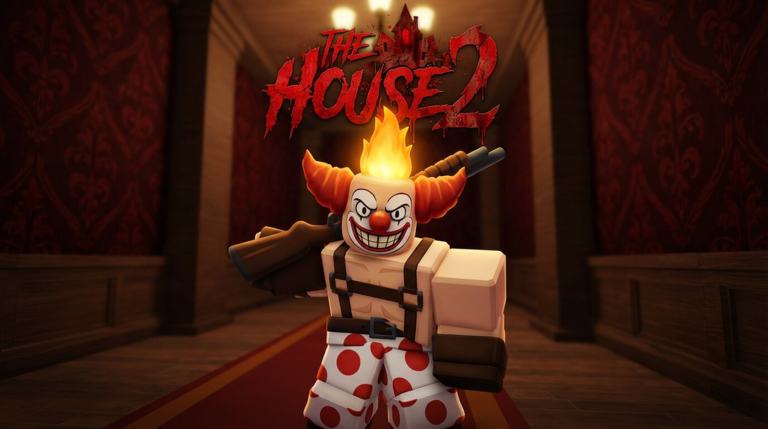
The House TD 2 Launch How to Redeem The House TD 2 Codes
Typed promo codes, group Kitty claims, and verification steps for DeadB Studios' beta.
Redeeming rewards in The House TD 2 means two different flows that players constantly mash together: typed promo codes (when DeadB Studios publishes them) and the group membership claim that unlocks Kitty. This page separates those paths, shows a safe order of operations for Place 131367064230486, and stops you from wasting time on Spectral Roblox’s original House TD strings.
Step 0: confirm you are in the right game
Before any redeem UI matters:
- Open The House TD 2 - Launch.
- Confirm the creator context is DeadB Studios, not the older House TD listing.
- Note the place ID 131367064230486.
- Update Roblox fully so you are not on a stale client during early beta.
If your friend link drops you into a different haunted TD, stop. Codes and group gifts will not translate.
Path A — DeadB Studios group reward (Kitty)
This is the reliable free unlock during early beta.
- On Roblox, like The House TD 2 on the experience page when the in-game prompt requires it.
- Join the DeadB Studios group associated with the experience.
- Launch The House TD 2 and finish any blocking tutorial prompts so lobby/shop UI is available.
- Find the group reward / gifts / claim control (labels can shift between beta builds).
- Claim Kitty (Epic Holy onboarding unit) and verify the unit appears in your summon or collection panel.
- If the claim fails: leave the group, rejoin the group, rejoin the experience, and claim again (try a private server if the pedestal desyncs).
Kitty exists so you can learn summoning, equipping, and faction play immediately. Pair the unlock with Getting Started, Daily Rewards, and the Starter Checklist instead of idle lobby hopping.
Path B — typed promo codes (not in UI yet)
As of mid-August 2026, verified community reporting indicates The House TD 2 still lacks a typed code redemption field in the lobby. When DeadB Studios adds that UI, use the steps below. Until then, calendar login is the recurring free path (Daily Rewards).
- Launch TD2 and reach a stable lobby.
- Open the codes / redeem / gifts panel.
- Copy the code from a trusted source — experience description, group wall, or this wiki’s Codes Hub once verified.
- Paste exactly. Avoid leading spaces, trailing spaces, and font substitutions.
- Submit once; wait for inventory or currency feedback.
- Check units, items, and coin balances before you assume failure.
If the button does nothing, move to Codes Not Working rather than submitting twenty variants of the same string.
Where legitimate TD2 codes appear
Prioritize:
- Roblox experience description for Place
131367064230486 - DeadB Studios group shout or wall posts
- Official developer social posts that explicitly say The House TD 2
- This wiki after maintainers verify redemption in the correct place
Deprioritize:
- Undated “House TD codes” slideshows
- Lists that lead with
BigFix,Wow100k, or other legacy original-game promos - Comment sections under unrelated tower defense videos
Wrong-game codes (do not redeem as TD2 working codes)
Original The House TD by Spectral Roblox has its own culture of promo strings. Those codes are for a different game. Even if a thumbnail says they are “still working,” they are not TD2 rewards. Entering them here only teaches you the wrong troubleshooting story. The Codes Hub keeps that warning prominent on purpose.
Redeem timing tips during matches
- Redeem in lobby when possible so you can see unit unlocks before waves start.
- Equip new items immediately — see Equip Items.
- If a code grants currency, spend it inside a planned faction majority from Best Teams, not as random summons that flip you into unwanted Omni income.
- In twelve-player co-op, tell teammates when a code dropped so the lobby can adjust roles.
After a successful redeem
- Screenshot or note the reward for your own tracker.
- Update your Team Planner if a new unit changes role coverage.
- Re-read Units for where the unlock fits — Kitty, Bio, Frank, Duchess, military pieces, and later summons all occupy different jobs.
- Run House or Kitchen once at normal speed before 2x/3x so you feel the new kit.
After a failed redeem
Do not assume the wiki is “hiding codes.” Early beta simply may not have an active typed-code season. Work the failure checklist on Not Working, confirm you did not paste an original House TD string, and fall back to group Kitty plus honest farming via How to Play and Floors and Modes.
Accessibility and account notes
- You must be logged into the Roblox account that owns the progress.
- Some rewards are per-account; alts need their own group join and claim.
- If parental restrictions block group joins, Kitty claim cannot complete until group access is allowed.
- VPN or private server oddities can desync gift UI — try a default public lobby after a clean rejoin.
Related pages
Keep Codes Hub bookmarked for the live table, use this page for the ritual, and keep Links Hub handy for the official place URL. Strategy after redeeming still lives in the Guides Hub and Tier List Hub.
Redeeming is a thirty-second action that supports a much longer haunted TD loop: summon with intention, equip before the wave, protect faction coins, and clear cursed floors with up to twelve players. Do the claim correctly once, then spend your attention on bosses and modes — not on recycling another game’s expired code list.
Frequently Asked Questions
Quick answers for The House TD 2 Launch players.
Is Kitty redeemed with a typed code?
No. Kitty is the DeadB Studios group reward. Join the group and claim in-game; leave and rejoin if the claim button fails.
Where is the codes button?
When DeadB Studios enables typed codes, look in lobby shop, gifts, or settings panels. Labels can change during early beta, so check after each update.
Can I redeem original House TD codes here?
You can type them, but they are for a different game and should not be treated as working The House TD 2 rewards.
Should I redeem during a live wave?
Prefer the lobby so you can verify units, items, and currency, then equip before returning to House or Kitchen runs.